Intertrace DocsQuickstartAPIDashboard
Early accessSign in
IntertraceIntertrace

Documentation

Introduction

OverviewHow Intertrace worksFAQ

Getting started

QuickstartEarly access & signupOrg invitesAuthenticationConnection methods

Connect clients

OpenAI SDKCursorClaude DesktopCodexGitHub CopilotLiteLLMOpen WebUIMCP serversAgent frameworkscurl / raw HTTPModels & providers

Dashboard

Product spineCapabilities mapEstateTrafficEventsWorkGraphMCP consolePoliciesLabs (Red Team)CostsSettings

Guides

Policy setupBehavioral monitoringIntent alignmentFindings & incidentsGuardian AgentWebhook integrationAWS discovery IAMTroubleshooting

API & SDKs

API referenceEvent schemaQuickstart: PythonQuickstart: NodeSDKs (gateway)
IntertraceIntertrace

Documentation

Introduction

OverviewHow Intertrace worksFAQ

Getting started

QuickstartEarly access & signupOrg invitesAuthenticationConnection methods

Connect clients

OpenAI SDKCursorClaude DesktopCodexGitHub CopilotLiteLLMOpen WebUIMCP serversAgent frameworkscurl / raw HTTPModels & providers

Dashboard

Product spineCapabilities mapEstateTrafficEventsWorkGraphMCP consolePoliciesLabs (Red Team)CostsSettings

Guides

Policy setupBehavioral monitoringIntent alignmentFindings & incidentsGuardian AgentWebhook integrationAWS discovery IAMTroubleshooting

API & SDKs

API referenceEvent schemaQuickstart: PythonQuickstart: NodeSDKs (gateway)

Product spine

Connect → Estate → Traffic → Work → Graph → MCP → Policies → Costs → Labs → Settings.

One loop

At platform.intertrace.ai, one operational loop — Protect AI with AI — from onboarding through investigation.
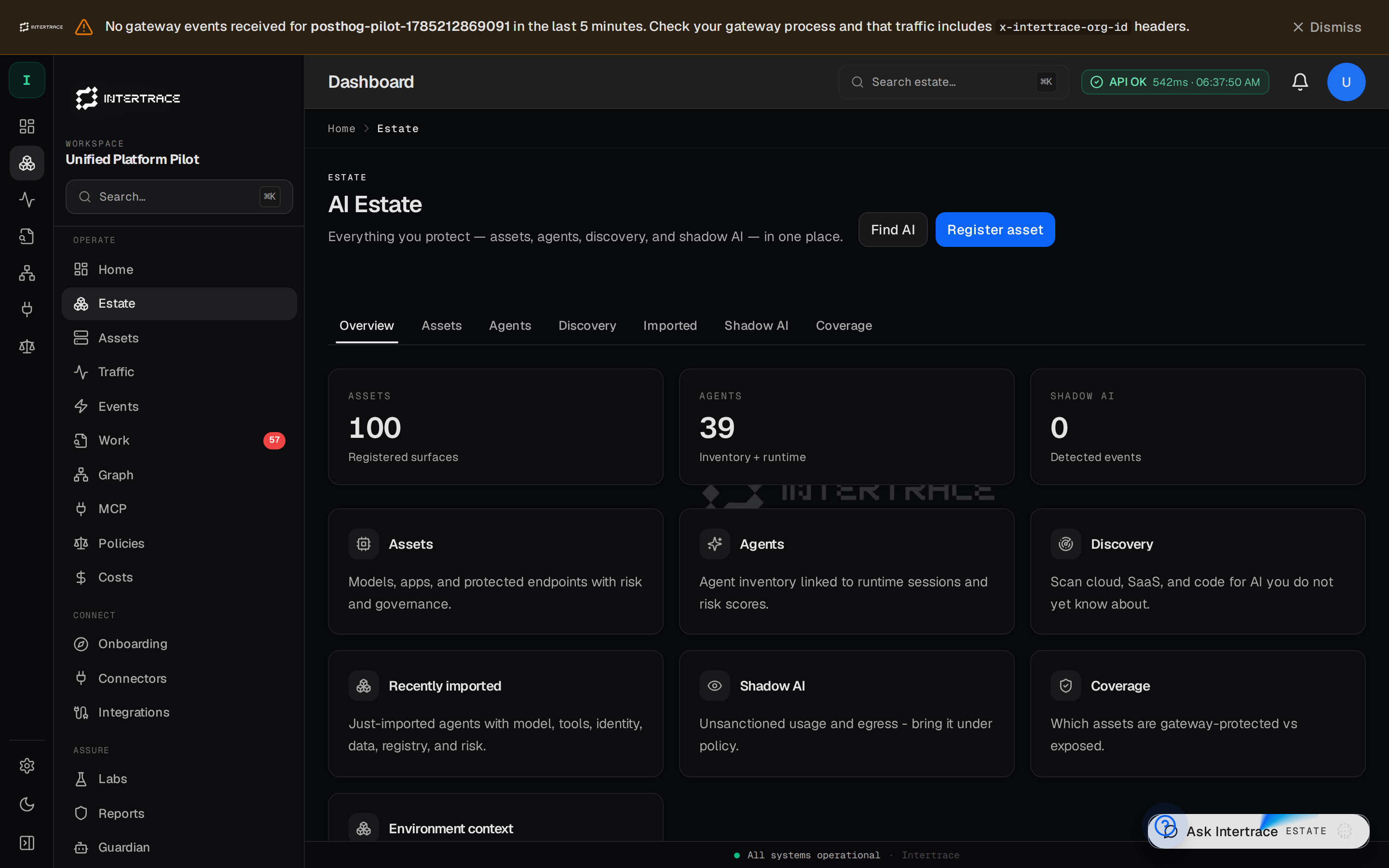
Product spine sidebar on the dashboard (Estate hub)
Exact Operate nav: Home → Estate → Traffic → Events → Work → Graph → MCP → Policies → Costs (+ Labs / Settings).

Estate

Assets, agents, discovery

Traffic

Runtime, events, traces

Events

Gateway + tool event feed

Work

Findings & incidents

Graph

Topology & blast radius

MCP

Servers & trust

Policies

Rules & packs

Labs

Red team

Costs

Usage & spend

Settings

Keys, vault, members

Previous
Models & providers
Next
Capabilities map